How to delete your account on Hey Famm

We’re so sorry to see you go. We are grateful to have had time with you in this space. Deleting your account means all of your information, including your posts, comments, messages, profile, business if added, and more, will be erased, not just in the app but on our backend servers. This can not be undone.


The steps are quick and easy and can be done from our mobile app, Hey Famm!

Website homepage for Famm Connect, a platform for LGBTQ+ professionals and business owners, featuring a headline 'Queer professional connection,' description, and buttons labeled 'Learn More,' 'Create an Account,' and 'Login'.
Screenshot of a social media app feed with a post from Jasper D’Lux asking for podcast recommendations, showing engagement with 1.2k likes and 53 comments.
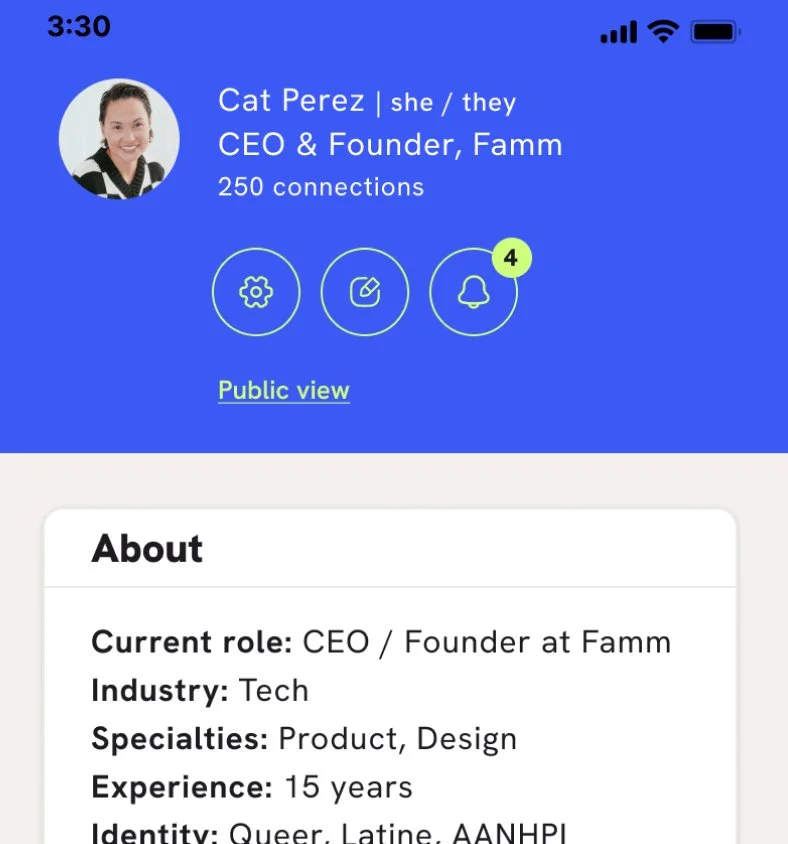
Profile page of Cat Perez, CEO and founder of Famm, with 250 connections. The page shows her profile picture, name, pronouns she/they, and her roles in the tech industry specializing in product and design with 15 years of experience. The interface includes icons for settings, editing profile, and notifications with 4 notifications, and options for public view and about section.
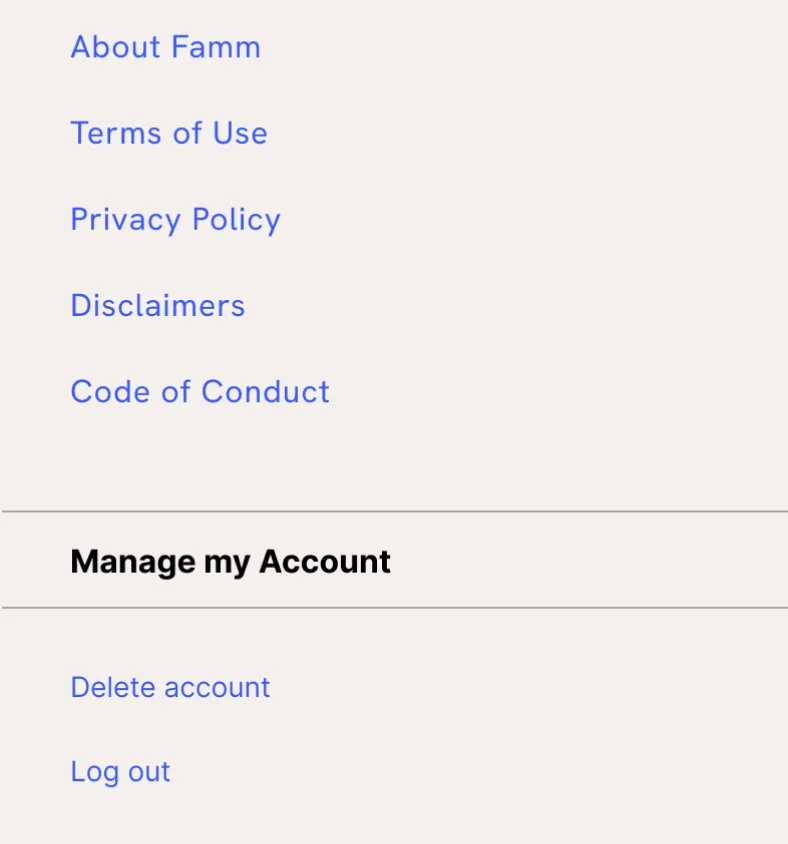
A screenshot of a website menu with links in blue text, including sections titled About Famm, Terms of Use, Privacy Policy, Disclaimers, Code of Conduct, and account management options to delete account and log out.
Account deletion confirmation prompt with the text "Are you sure you want to do this?" and a sad face icon. Options to "Don't Delete My Account" in green and "Delete My Account" in blue.

STEP 1

Log into your Hey Famm Mobile App

STEP 2

Tap on your profile picture to head over to your profile view

STEP 3

Tap on the settings gear on your profile

STEP 4

Scroll all the way down to the bottom of your settings to the Manage my Account section

STEP 5

Tap Delete Account, enter your password and tap delete account

If you run into any issues or have questions, do not hesitate to reach out to us at support@heyfamm.com.