

How to delete your account on Hey Famm
We’re so sorry to see you go. We are grateful to have had time with you in this space. Deleting your account means all of your information, including your posts, comments, messages, profile, business if added, and more, will be erased, not just in the app but on our backend servers. This can not be undone.
The steps are quick and easy and can be done from our mobile app, Hey Famm!




STEP 1
Log into your Hey Famm Mobile App
STEP 2
Tap on your profile picture to head over to your profile view
STEP 3
Tap on the settings gear on your profile
STEP 4
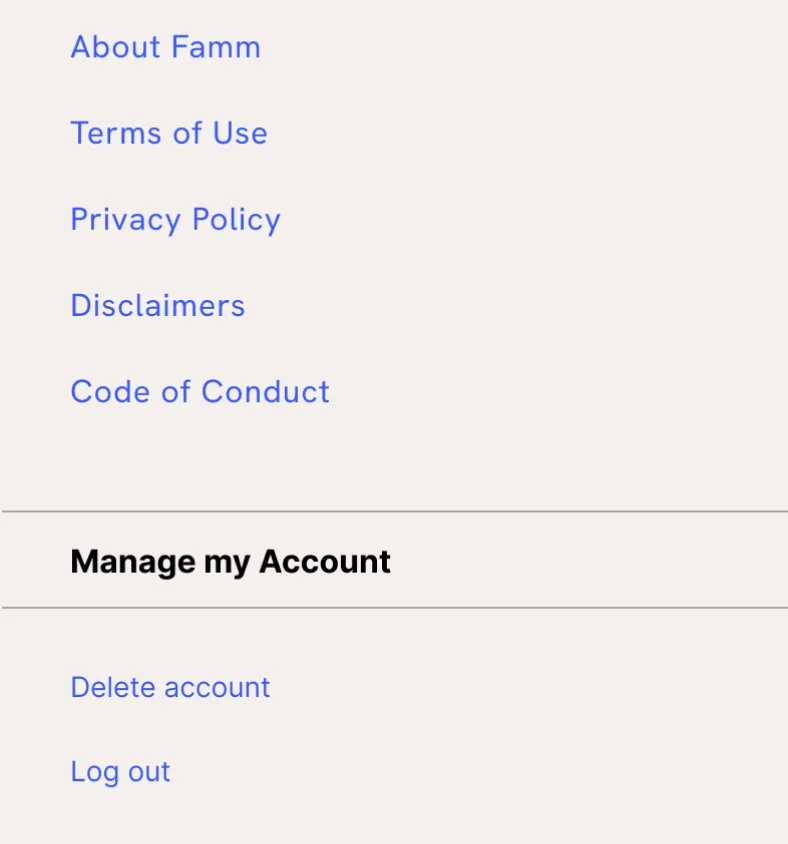
Scroll all the way down to the bottom of your settings to the Manage my Account section
STEP 5
Tap Delete Account, enter your password and tap delete account
If you run into any issues or have questions, do not hesitate to reach out to us at support@heyfamm.com.